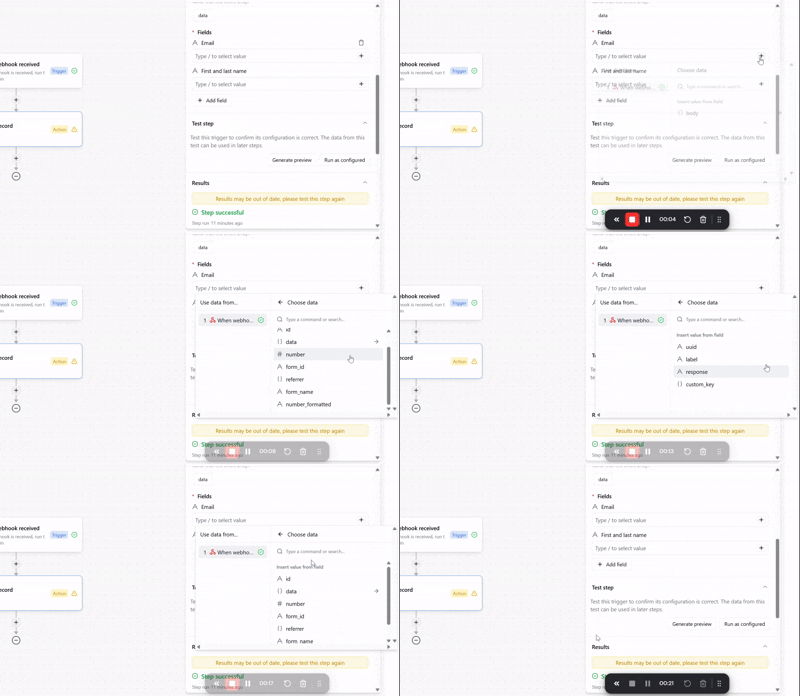
I just got Tier 2 from AppSumo and am currently testing the tool. I have a few questions:
• When a form (in any form builder) includes a file, how can I upload it into an attachment column? The data is received via webhook.
• The same webhook receives multiple data points (email, name, file, webpage link, etc.), but when mapping, I can’t select the individual fields. For example, how can I extract the “email” and map it to the correct column? Do you have an example video or flow for this?
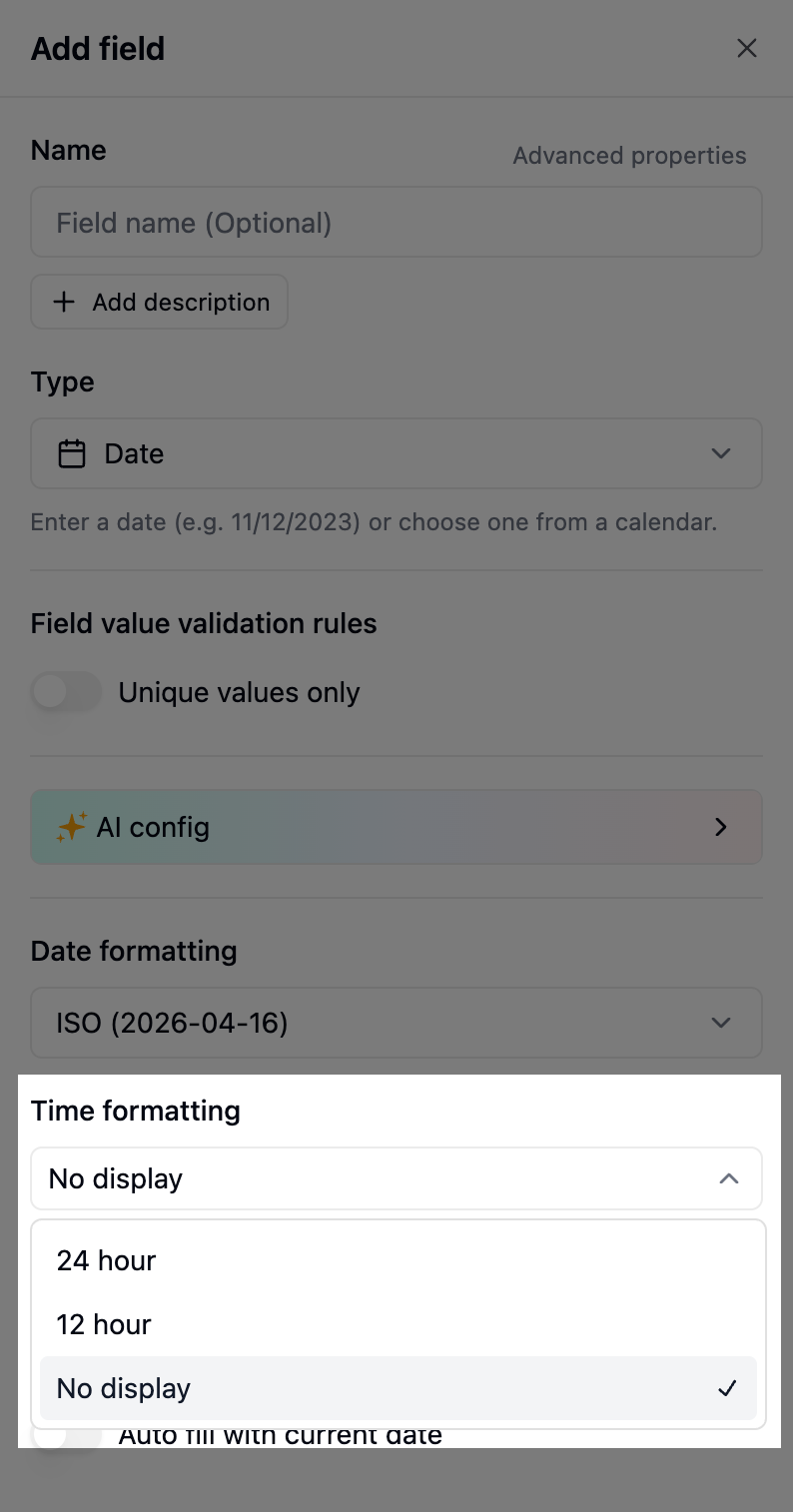
• How can I remove the time (hours) from the “time submitted” field and keep only the date?
For your Q1 & Q2, they’re actually the same workflow. Here’s how to set it up:
Create an Automation with a “When webhook received” trigger
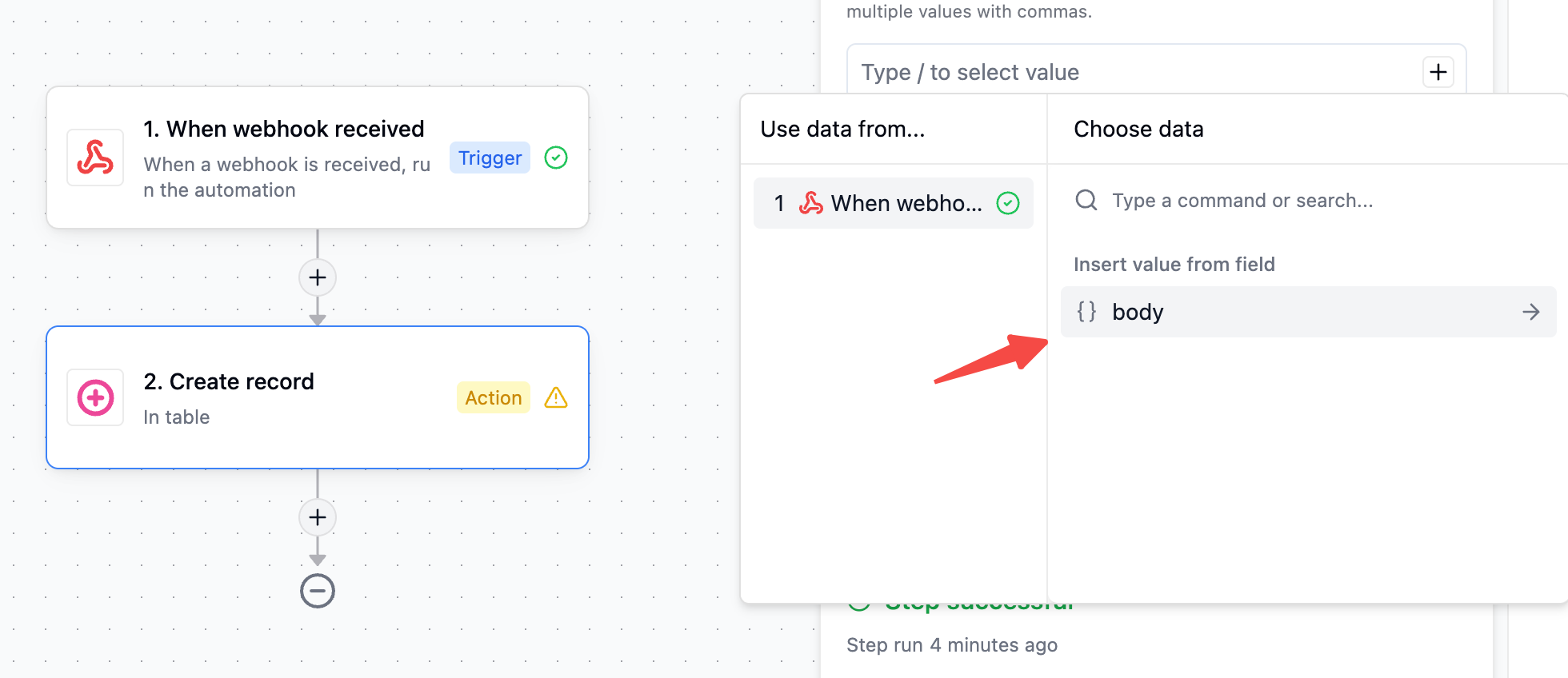
Send a test webhook from your form builder to the webhook URL — this is the key step. Teable needs to receive a sample payload first so it can parse the JSON structure
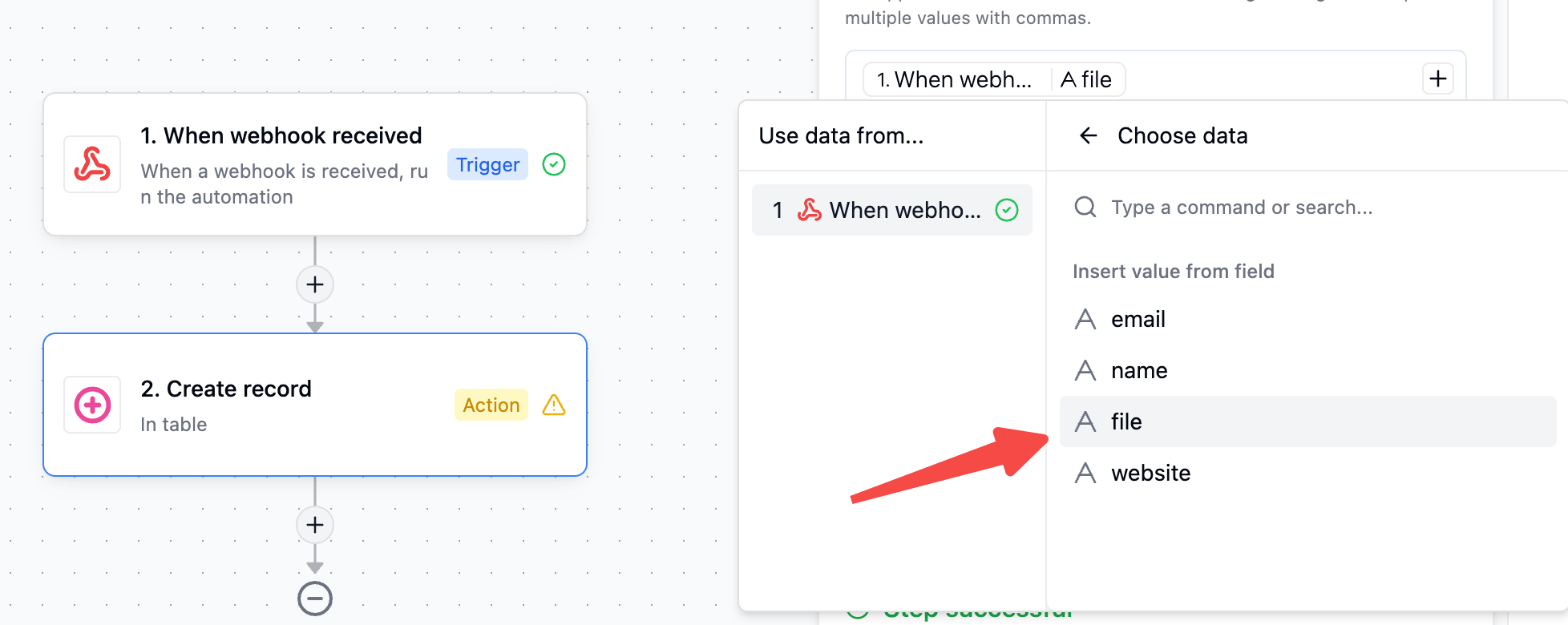
Add a “Create record” action, and you’ll see all the individual fields from your webhook data (email, name, file, website, etc.) available for mapping
For the attachment column, simply map the file URL field to it. Teable will automatically download the file and store it as an attachment
Click on the date field → Field settings → under Formatting, set the Time formatting to “No display”. This will display only the date (e.g., 2024-12-25) without the hours.
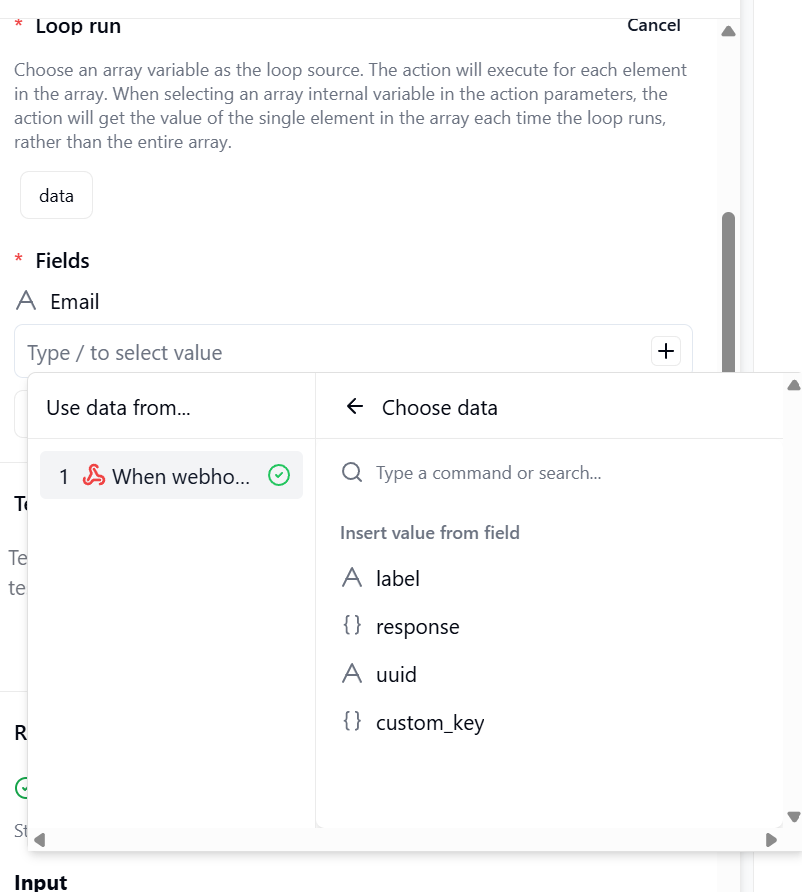
So I’m currently trying to “map” fields, but I’m not getting it to work unfortunately. I’m trying to understand the “loop” function, but doesn’t do anything.
We tested with a similar nested structure and the → arrow shows up correctly for object fields like response and custom_key, allowing us to drill into sub-fields.
Could you try sending this exact payload to your webhook and see if it works?
If the → arrow still doesn’t appear, could you share your actual webhook payload? We’d like to test with your exact data structure to see what’s different.
Sorry about that — I now understand your issue after looking at your screenshot more carefully. The problem is that your form tool (DeftForm) sends all fields as an array inside data, so each item has label, response, uuid, etc. — but you can’t drill into response to map it to specific columns because the values aren’t nested objects.
Here are a few ways to solve this:
Option 1: Use a Script action
Add a Script action after your webhook trigger. It can parse the data array by label and write each value to the correct column. You can ask Teable’s AI to generate the script for you — just describe what you need.
Option 2: Adjust the webhook output in DeftForm
Check if DeftForm supports sending a flat JSON structure (e.g., { “Name”: “Alex”, “Email”: “alex@…” }) instead of the nested array. That would make mapping straightforward.
Option 3: Build the form in Teable
You can use Teable’s built-in Form view for simple forms, or use the App Builder to create a custom form with more flexibility. Either way, submissions write directly to your table — no webhook or mapping needed.
Thank you @Leo , I’m testing the App Builder (for the form) and it’s great! The only issue I have now is that I can’t open or preview the files. When I click on a file in the column, a pop-up opens with a blue “Open” button, but it doesn’t seem to work (in Google Chrome and Firefox).