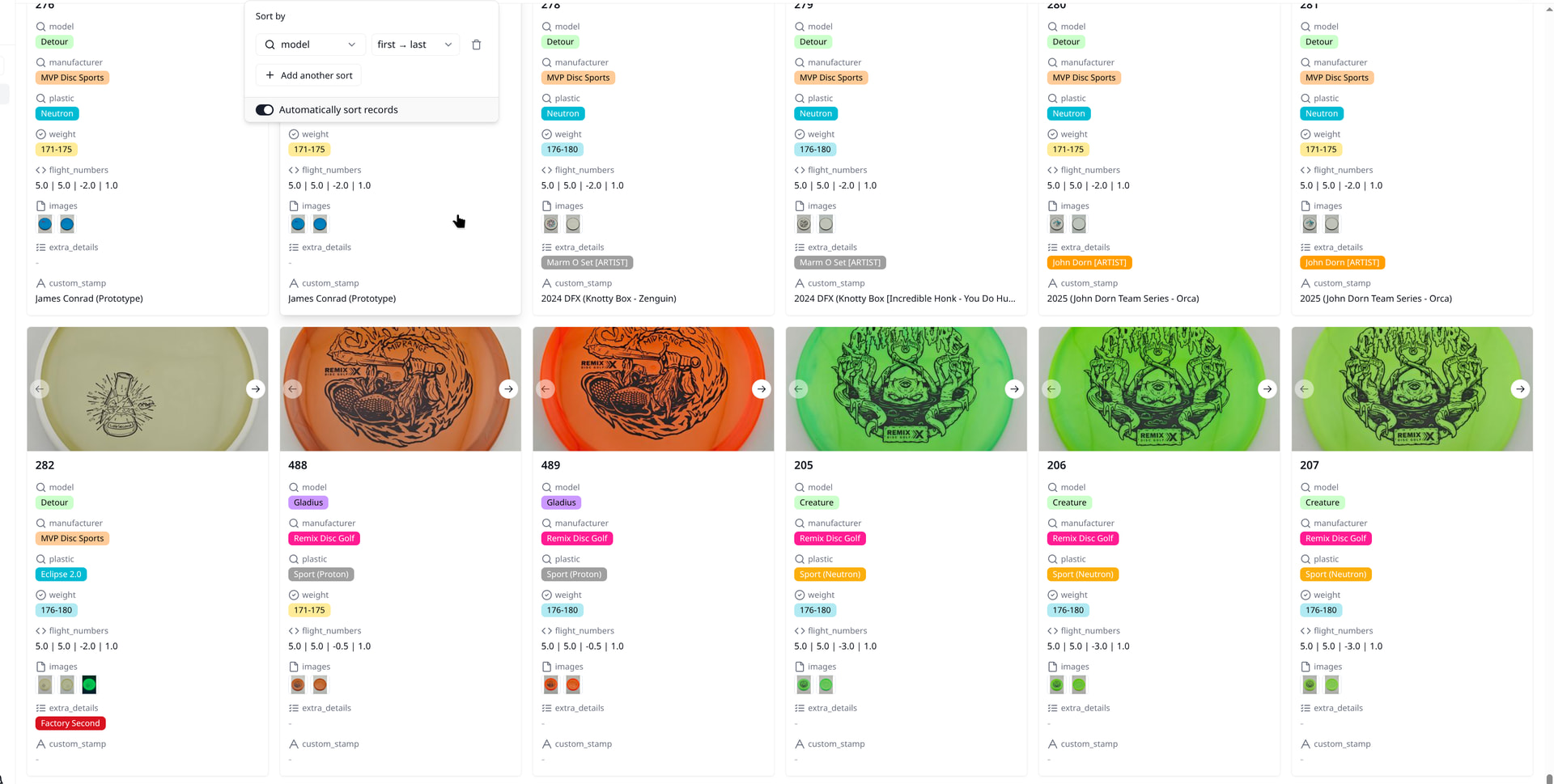
To summarize, if the field you are sorting by is a lookup field, it does not sort properly.
This can be confirmed in both Grid and Gallery views.
Thanks for reporting this. We tried to reproduce the issue on our end but weren’t able to so far. Could you share a screen recording or video showing the sorting behavior with the lookup field? That would help us pinpoint the problem much faster.
Appreciate your help!
I would LOVE to do that. Unfortunately, this platform has a 10MB limit, and won’t accept webm or mp4 formats. Can I share a pcloud link with a video?
That works. As long as we can open the link and watch the video online, that’s fine. Of course, you can also send it to our email at support@teable.ai.
Single video in the folder. You might have to tweak playback quality, but it will go up to 1080p. Both Grid and Gallery views represented.
Thanks for sharing. I’m unable to open the link on my side.
We’ve increased the upload limit to 500MB now, so you can send the video directly here instead.
When trying to upload the 6.9MB webm;
Sorry, the file you are trying to upload is not authorized (authorized extensions: jpg, jpeg, png, gif, heic, heif, webp, avif, svg).
When trying to upload the 57MB webp;
Sorry, the image you are trying to upload is too big (maximum size is 10 MB), please resize it and try again.
@disposable.info Sorry for the platform’s default limitation. You can upload them now.
Apologies for the low quality. It would be a webm, but….
Sorry, new users can not upload attachments.
@disposable.info Sorry about that — our community settings still had quite a few restrictions for new users.
Thank you for helping us discover these community limits. I’ve just adjusted another restriction, so you should now be able to continue uploading. Thanks again for your feedback!
Thanks for getting it sorted!
Hi,
Single-select and multi-select fields don’t sort alphabetically. They follow the option order set in the field configuration, and lookup fields inherit that same order from the source field.
Please open the column settings for the source select field and compare the option sequence against what you’re seeing in the lookup. That’s usually where the mismatch shows up.
Let me know if it doesn’t line up.
That makes a ton of sense! Is there a pathway that can be added to sort single/multi lists? As those column types get expanded on an ad-hoc basis, preserving the natural sort order if initially added in that manner, will get lost.
Thanks — that’s a valid suggestion, and we understand the use case.
At the same time, we need to be careful with this kind of feature. Once an automatic A–Z sort option exists, it can naturally encourage broader and more dynamic use of select options over time. In some cases, especially where option sets grow very large, that can introduce meaningful performance trade-offs.
In practice, we’ve seen cases with very large select option sets, sometimes 1,000+, and that kind of usage pattern can introduce real performance trade-offs. So this is not only a UX question, but also something we need to evaluate carefully from a performance perspective.
For now, select fields and related lookup fields still follow the option order defined in the source field. But this is reasonable feedback, and we’ve noted it.
I came up with a pretty effective workaround.
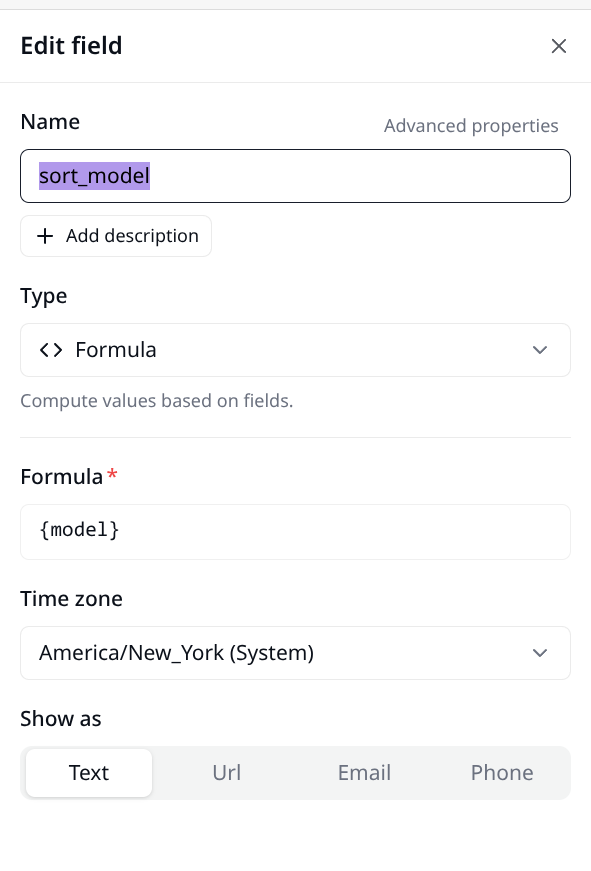
model is a lookup, and “sort_model” is just a function that outputs model as a text, making it sortable. I just hide the sort_model column after configuring the table to sort on it.
I definitely can’t think of a good answer for multi-select, though, I am not trying to sort on a multi anyway.
1 Like