I noticed an issue when we update or change the structure of a column. Each time I change the structure of a column, the change is applied to all rows at once. For example, if I have 30,000-50,000 rows, the system changes them all at once, causing the system to freeze and stop working. I propose that each time we update the column property information, it should be done similarly to how you import data. The data will be updated gradually, 500-1000 rows at a time until finished. I think this is a way to avoid Internal Server errors when updating columns. Also, there should be a stop button in case an emergency halt of the update process is needed.
1 Like
@hoangbao2106 Thanks for your feedback! We’re currently working on a major upgrade — a v2 database engine — specifically designed to solve database performance issues and make complex, large-scale data processing much smoother and faster.
Given your use case, we’ve already added you to the v2 database engine Beta. In this environment, the issues you mentioned have already been resolved. However, since it’s still in beta, you may encounter other bugs but the user experience should be better than perviously in most of the cases.
If you run into any bugs, feel free to report them in the community right away. And if after using it for a while you’d prefer to switch back, just let me know and I’ll remove you from the beta. Looking forward to your feedback!
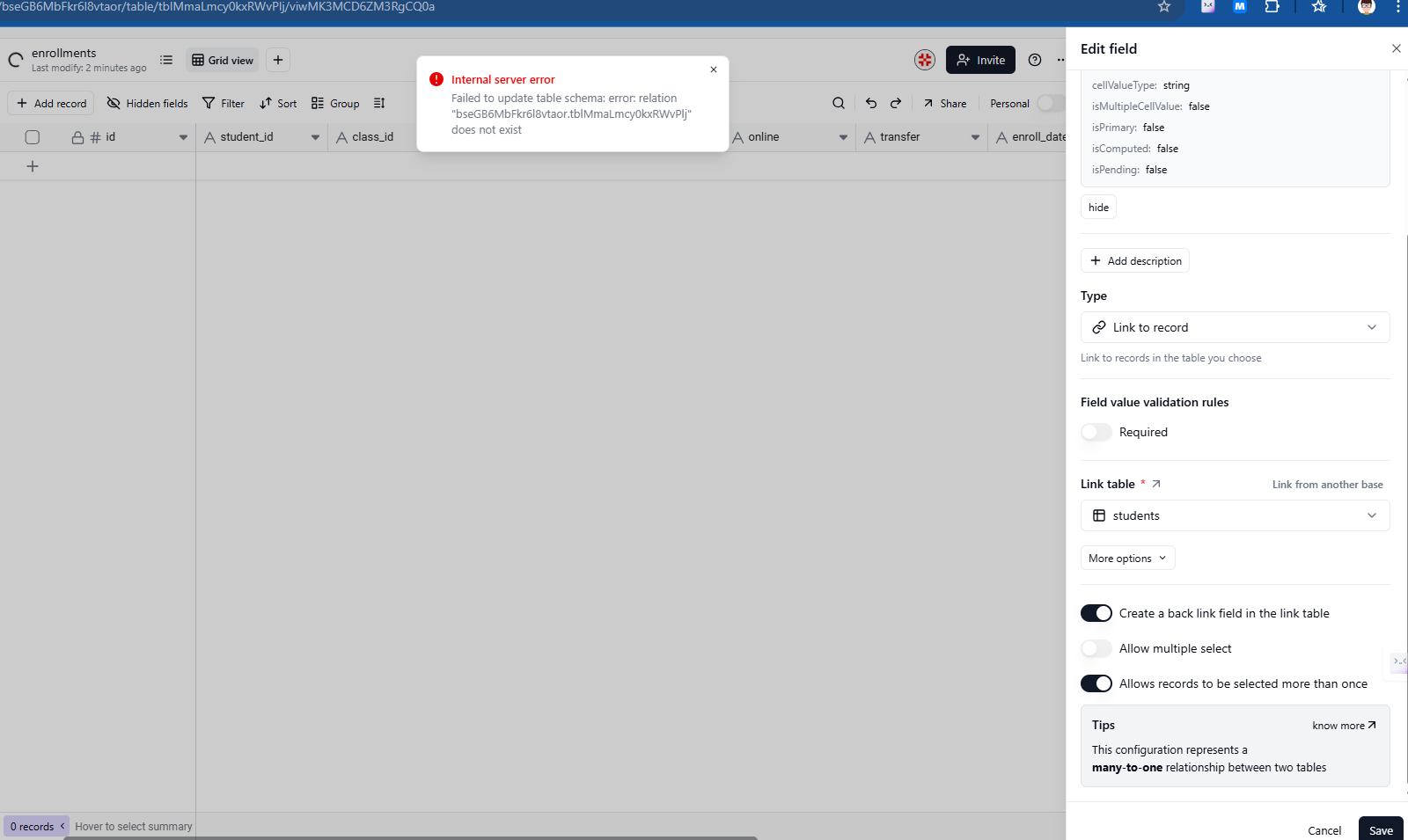
I got this error message on my display when trying to change a column to link to record.
Everything was good before, but today I have this error.
Hi, Could you try running an integrity check on your base? Here are the steps:
-
Click “More” in the left sidebar, then select “Design.”
-
In the Design panel, click the “Check” button next to “Integrity check.”
-
If any errors show up, click “Fix” to resolve them.
-
After that, check if the issue still occurs.
Let us know how it goes!
Hi @hoangbao2106 The internal server error was caused by a V2 database bug, which we have just fixed. Please check if the issue has been resolved.
Thanks for reporting this! I was able to reproduce it on our end — it’s definitely a bug. When converting a number column to single line text, it should respect the formatting you had set rather than appending decimal places.
I’ve gone ahead and filed an issue for this. You’ll be notified automatically once there’s a status update.