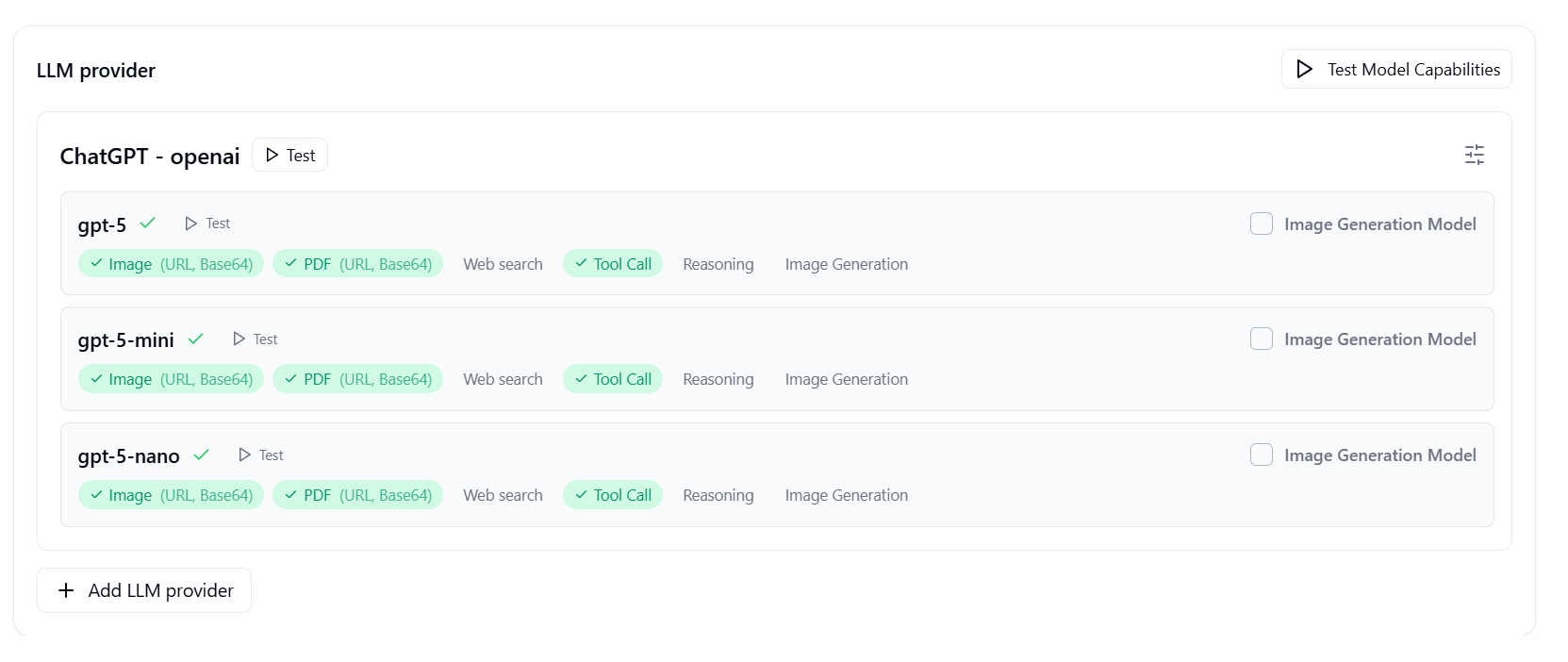
I enjoyed using the Teable AI engine and quickly ran out of Claude credits. Since I have a OpenAI account, I entered those parameters ino the AI settings section and checked all was OK, which it was.
When I go to either a existing table or create a new one and try and use OpenAi, I keep returning to the “You’ve run outof credits buy some more”.
I assume that this was not the intent of allowing me to enter the credentials. Please help
Hi alfredcoates62, thanks for reaching out. It is understandably confusing to hit a credit limit right after configuring a valid API key.
Based on your setup, please check the following two configurations:
AI Settings (For AI Chat): Navigate to your AI settings panel. Under the Model preferences section, look for the Chat model dropdown. If it is currently set to “Default”, click the dropdown and select your specific OpenAI model.
AI Field Configurations: If you are using an AI Field within your table, open the Edit field menu for that specific column. Scroll down to the AI config section and locate the AI model dropdown. Click it and choose your custom OpenAI model, which should be listed under the “Space” category.
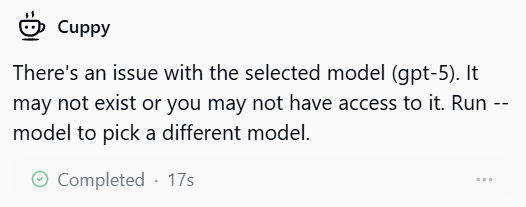
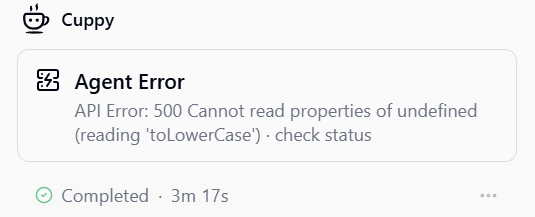
Hi Leo, I had set up the main AI setting correctly. See screenshot. I had not set the AI field correctly but have now. When I try to use this I receive a new message - see screen shots
Please take a look at the model selection settings. You should select the models listed under the “Space” section, as those are your BYOK (Bring Your Own Key) models. The models under the “Recommended” section are Teable’s official hosted models.
Great! I’m so glad to hear that everything is back on track.
BYOK configuration should typically take effect immediately. It’s possible there was just a very brief async delay or a cache refresh before the system fully recognized the switch.
If you happen to run into that credit prompt again in any specific AI Field, just double-check the model settings within that field to ensure it is manually pointed to your BYOK model.
For GPT models, Teable’s current execution path does not use OpenAI’s native web search capability. At the moment, Agent and App Builder only support the Anthropic endpoint, while AI Fields and automations using ai-generate do not use web search tools.
We’ll still investigate the UI behavior on our side.
The errors you’re seeing in chat are expected at the moment.
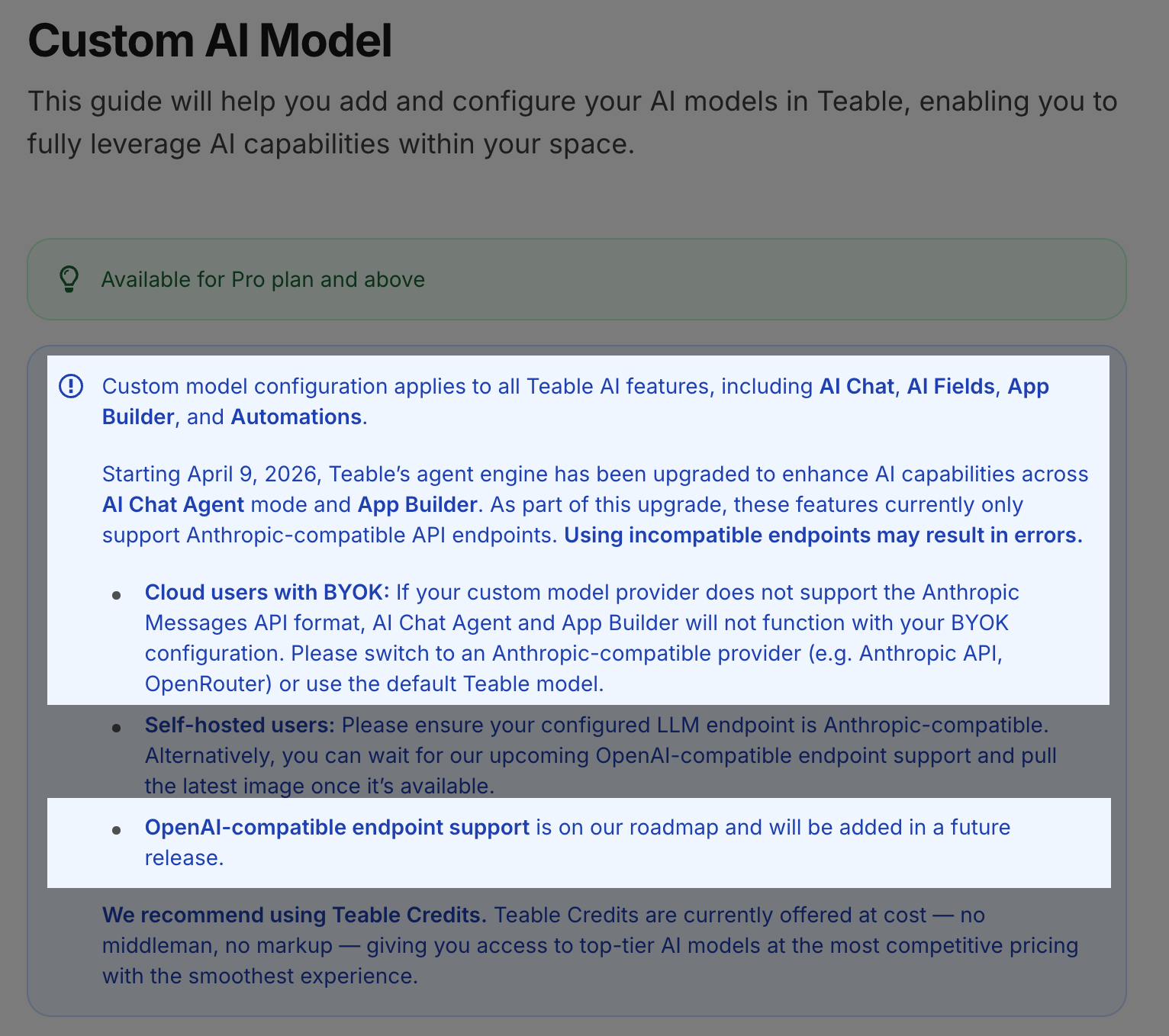
Starting April 9, 2026, Teable’s agent engine was upgraded for AI Chat Agent mode and App Builder, and these two features currently only support Anthropic-compatible API endpoints. If your BYOK provider does not support the Anthropic Messages API format, those GPT-5 models will keep failing in these flows. OpenAI-compatible endpoint support is already on our roadmap and will be added in a future release.
Right now, you can still use GPT models for Teable’s other AI features outside of AI Chat Agent and App Builder.
Right now, GPT models can still be used for Teable’s non-agent AI features.
For example, they can be used in AI Fields for tasks like summarization, classification, tagging, translation, extraction, rating, improvement, and custom text generation and for automations using ai-generate.
If you’re building an app with App Builder, the AI writes the code to handle the API integration directly — so it’s up to the generated code, and there’s no platform-level restriction from Teable’s side.
For Teable’s built-in AI features, the current situation is:
Agent AI features (AI Chat Agent, App Builder): Anthropic-compatible endpoints only
Non-agent AI features (AI Fields, automations with ai-generate, etc.): most BYOK providers that support OpenAI-compatible endpoints should work
Could you share a bit more about your specific use case? That’ll help me point you in the right direction.