I’m a little surprised the Form view does not have much functionality.
What’s the feature?
Basic options when a form view has been submitted.
Your use case
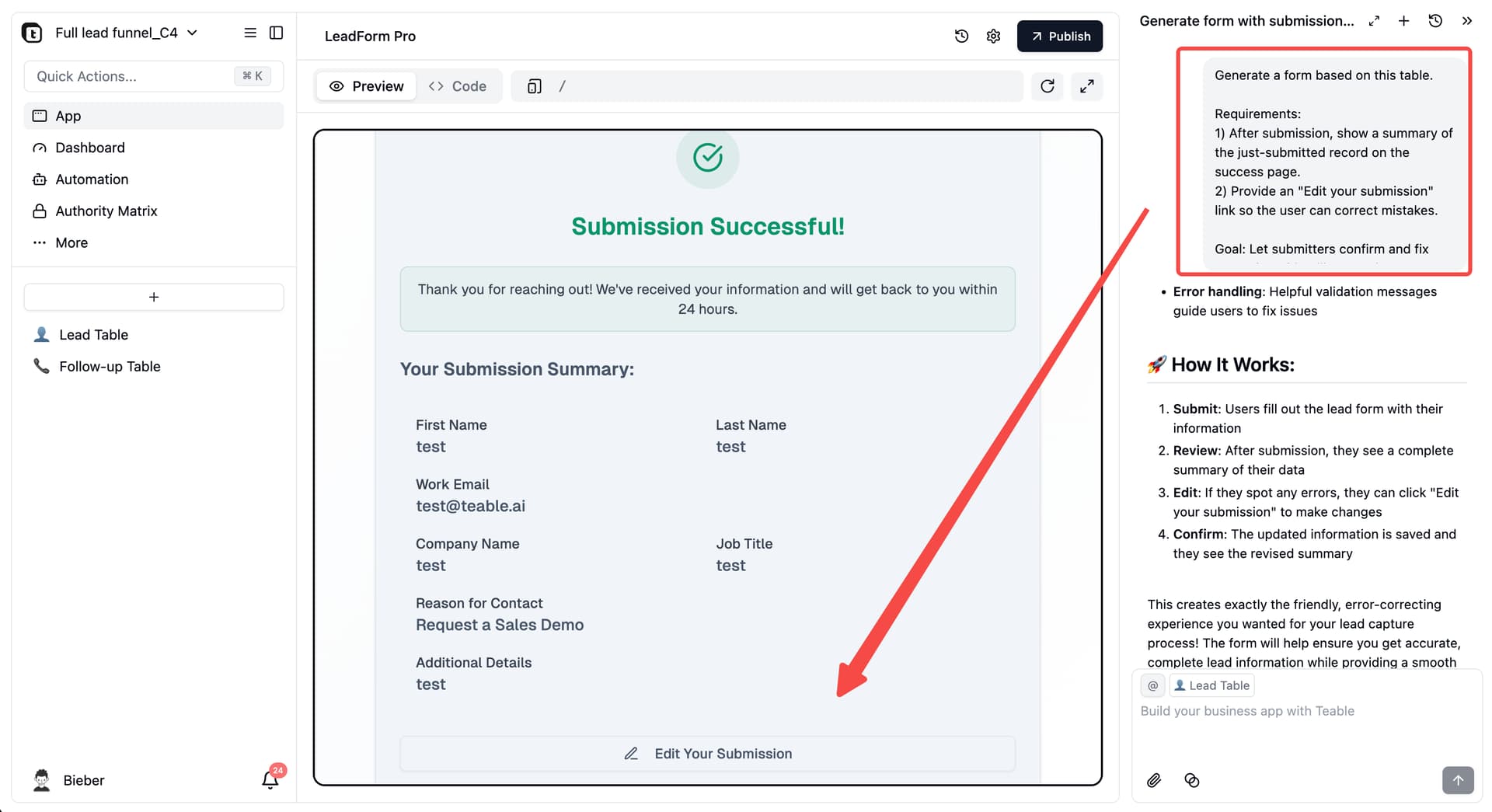
I would like to show what was submitted and a link to edit it in case there were mistakes.
I’m a little surprised the Form view does not have much functionality.
Basic options when a form view has been submitted.
I would like to show what was submitted and a link to edit it in case there were mistakes.
Hi @mibstar , Thanks for the suggestion! You can already do this with Teable’s new feature: Talk to Build Apps on Data.
Open your table, start a chat, and send this prompt:
Generate a form based on this table.
Requirements:
- After submission, show a summary of the just-submitted record on the success page.
- Provide an “Edit your submission” link so the user can correct mistakes.
Goal: Let submitters confirm and fix errors for a friendlier experience.
This creates a form with a submission summary that is both editable and connected to your database.