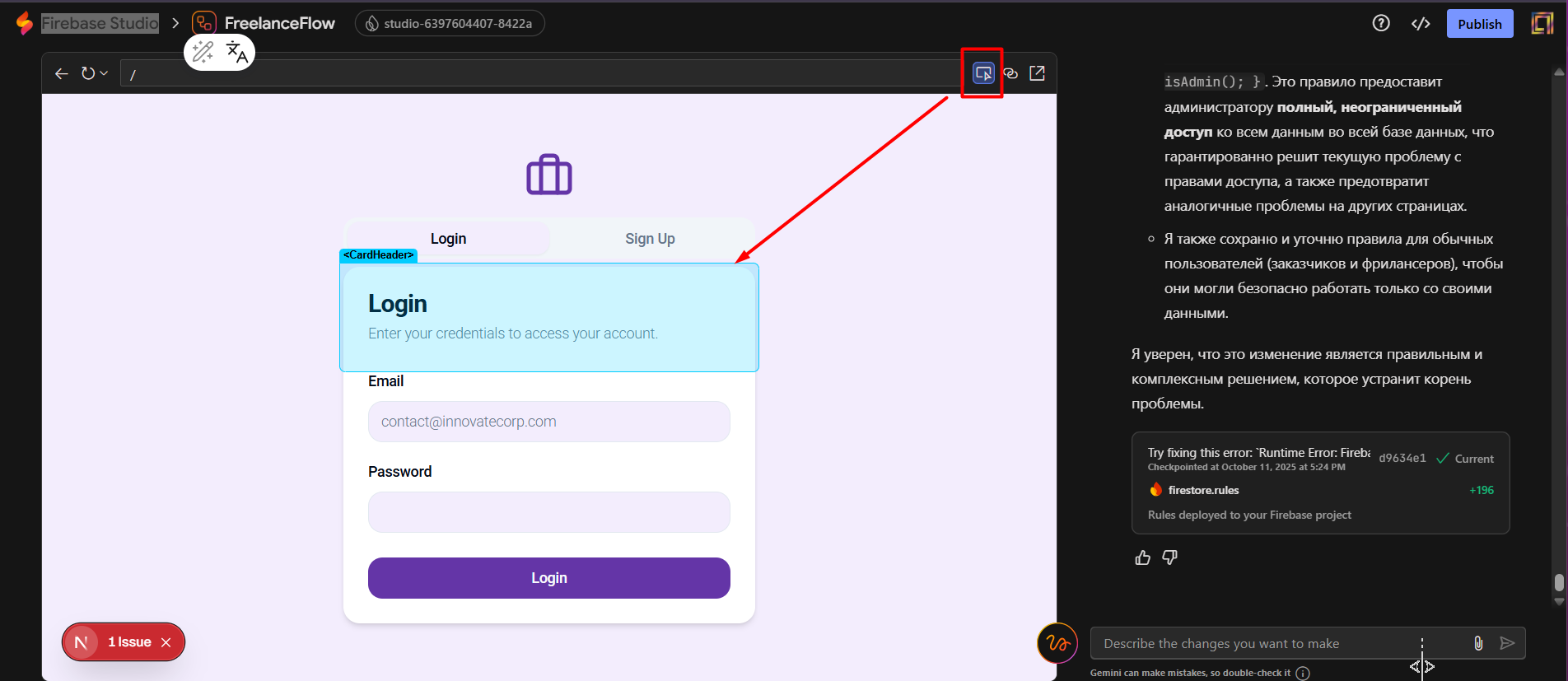
Hello, dear developers!
What’s the feature?
Console code inspector for editing AI applications (context addition). I am sure that this will help a little with the visual editing of the AI code that has been created.
Your use case
There is now a wonderful feature for creating web applications using AI. But, as I mentioned in another request for a new feature, it is difficult for non-programmers to edit code manually. It is also difficult to describe a small part of the code (for example, a container, header, widget, form field, icon, button, etc.) in the AI dialogue chat so that it understands exactly which element I want to change without affecting the rest of the code. Therefore, I suggest adding a visual highlighting (selection) feature for parts of the code to be added to the AI chat context (currently, only tables and their views can be added to the context).
A general example would be how the code inspector works in the browser console.
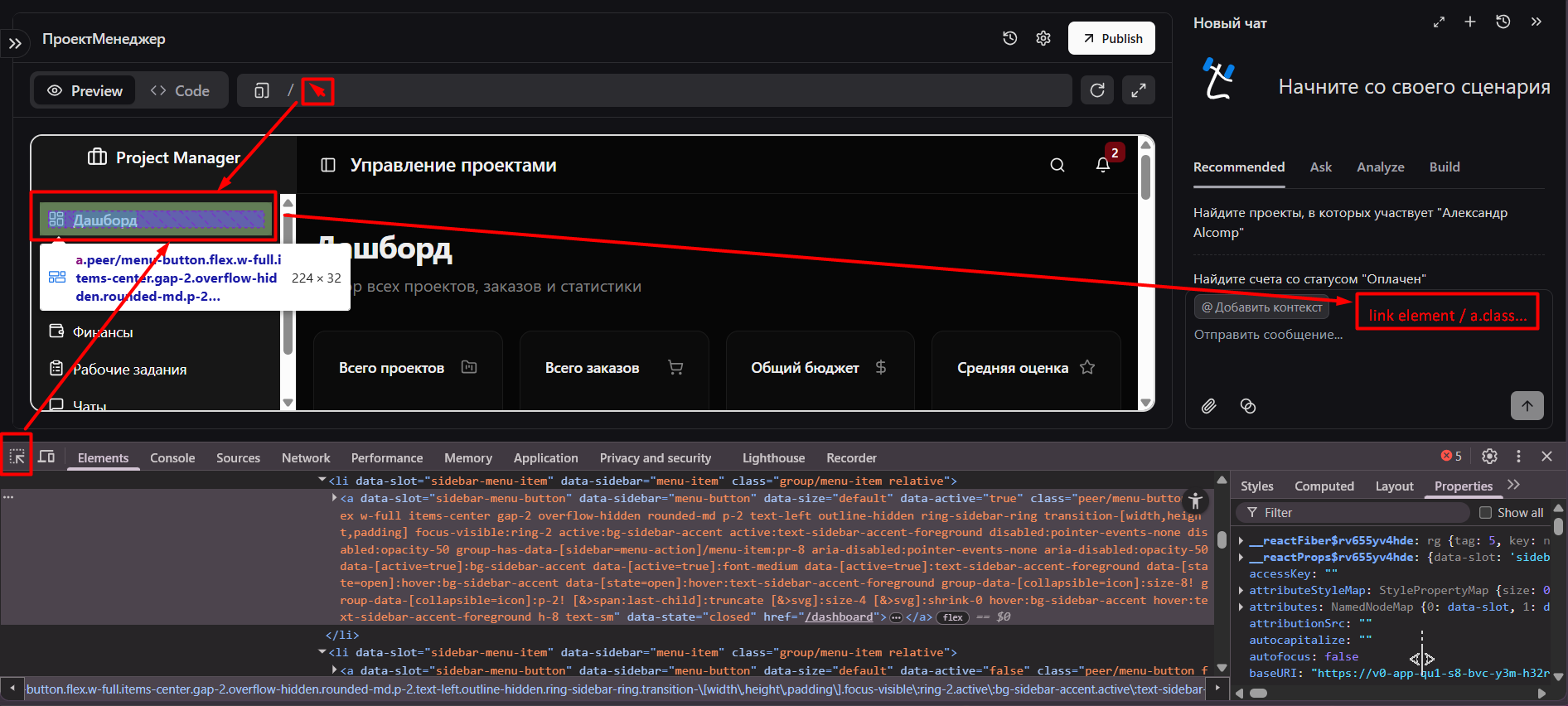
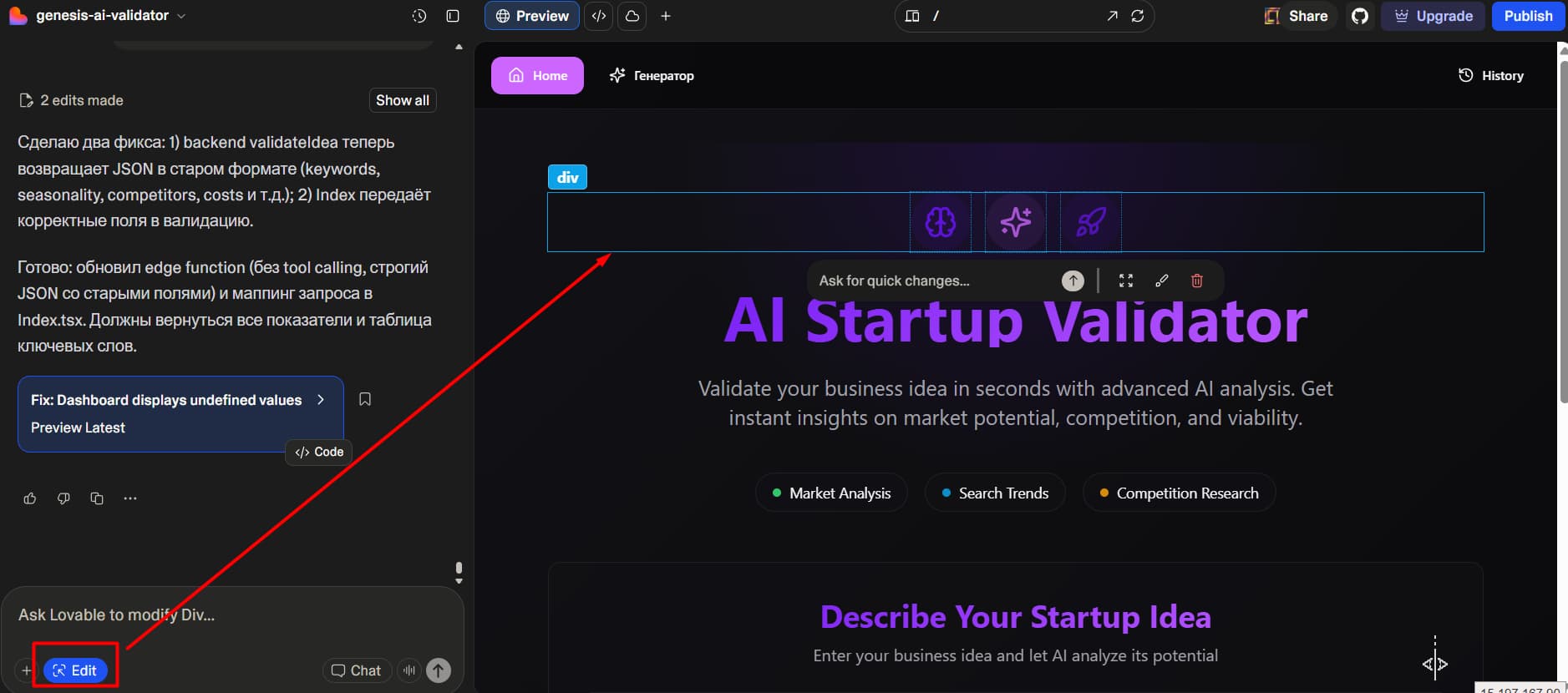
Or you can see how this is implemented in other vibe coding platforms.
Lovable
base44

Google Firebase Studio