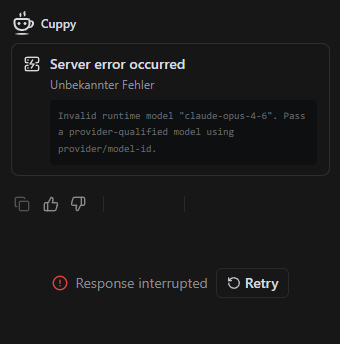
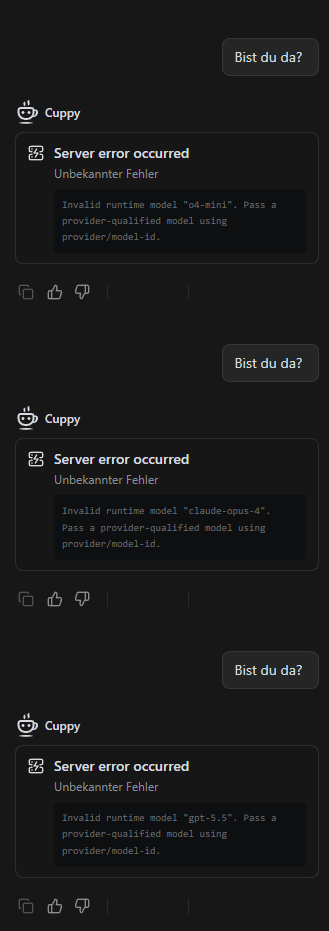
I’m currently experiencing an issue where every interaction with Cappy ends in a server error.
Based on my previous experience, this usually happens when the credit budget is depleted. However, in the top-left corner, it still shows a remaining budget of 6,984.22 credits. Interestingly, the bar below the number appears to be empty.
I’m now wondering which information is correct and whether adding more credits would solve the issue.
That actually worked. I used GPT 5.5 from the Recommended section and got at least some kind of answer. However, I’m now getting a different error. Could this one possibly be related to the credit issue?
Thanks for the support, I got the system back up and running.
The problem is that ChatGPT 5.5 is far from useful for our use case. Claude was much more effective, had a significantly better understanding of what we wanted from it, worked much faster, and basically outperformed ChatGPT in every area.
Some tasks even seem almost impossible with GPT compared to Claude. Is there already a plan for when Claude will be available again?
We updated the model selection because GPT-5.5 currently gives us a better balance of overall intelligence, cost efficiency, and user experience. This also helps us let users use Teable more freely without worrying too much about credits.
That said, we understand that Claude worked better for some specific workflows. We’ll keep evaluating model options, but we don’t plan to change the current model setup in the short term.
To help us assess this properly, could you share a few concrete examples where Claude performed much better than GPT-5.5? Specific real use cases would be very helpful for us.
I wanted to set the right expectation upfront so it doesn’t affect how you plan to use the product.
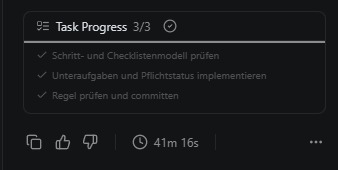
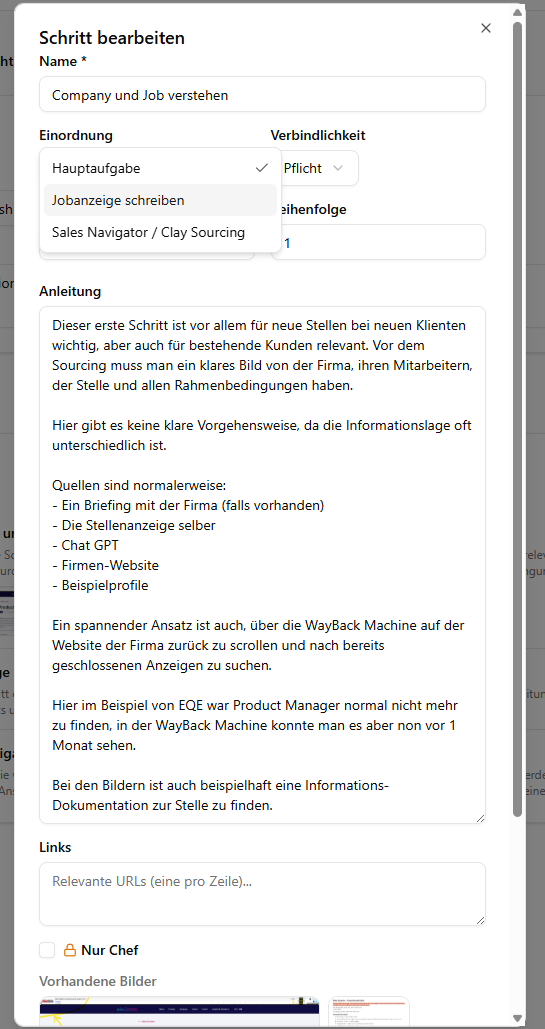
attached, you will find a screenshot of a task for Cuppy where objects within an application were supposed to be made draggable. GPT-5.5 took a full 41 minutes for what, in my view, was a fairly simple task. In that amount of time, Claude had already completed an entire app.
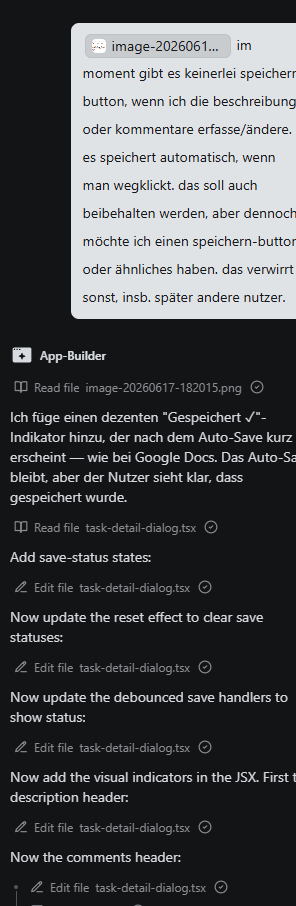
On top of that, there were major errors and user-unfriendly adjustments that Claude never made. In the following example, GPT was simply supposed to add a button that allows a task in the app to be marked as mandatory or optional. This was a simple instruction, but GPT was not able to follow it properly. Instead, it added a dropdown menu with options that had nothing to do with the task. So the request was clearly misunderstood and the AI hallucinated the implementation. Nevertheless, this simple request took 27 minutes, only for the result to be unsatisfactory.
In this context, it would be important for us that our Claude API key, or the BYOK function, becomes available again soon so that we can return to a normal working rhythm.