Hello, dear developers! I found your project, and I think it’s very cool and effective! However, it still lacks completeness—the ability to manually build a full-fledged web application. I think your platform is already ready for this!
What’s the feature?
A no-code drag-n-drop visual editor and frontend builder with connection to an internal database and automation.
Your use case
There is a very good tool available now — an AI-powered application builder. But it’s more like vibe coding… It’s good, but not convenient for citizen developers who don’t know how to code. In this case, I have to completely trust and rely on AI. I don’t know code, I’m not a programmer (like many users), but I want to create full-fledged web applications on my own. To do this, a code-free frontend development module with drag-and-drop elements is essential. Following the example of Webweb or Bubble. At least to have some ready-made components in the arsenal so that a web application can be built. Airtable has this functionality. Why don’t you do something similar, especially since you are cooler! I hope you won’t ignore my suggestion. I can offer my help within my capabilities (as a consultant, tester, etc.). I look forward to your feedback!
Thank you very much for your feedback. Your feature request is fully aligned with our expectations. In our previous release, we implemented the agentization of the product. For the next phase, we will focus on enhancing the reliability and stability of the agent, as well as optimizing the app-building capabilities—including the drag-and-drop function. Currently, we are still organizing and refining the related plans, so we cannot confirm a specific timeline yet. However, we expect to gradually roll out these updates on the product side within two months.
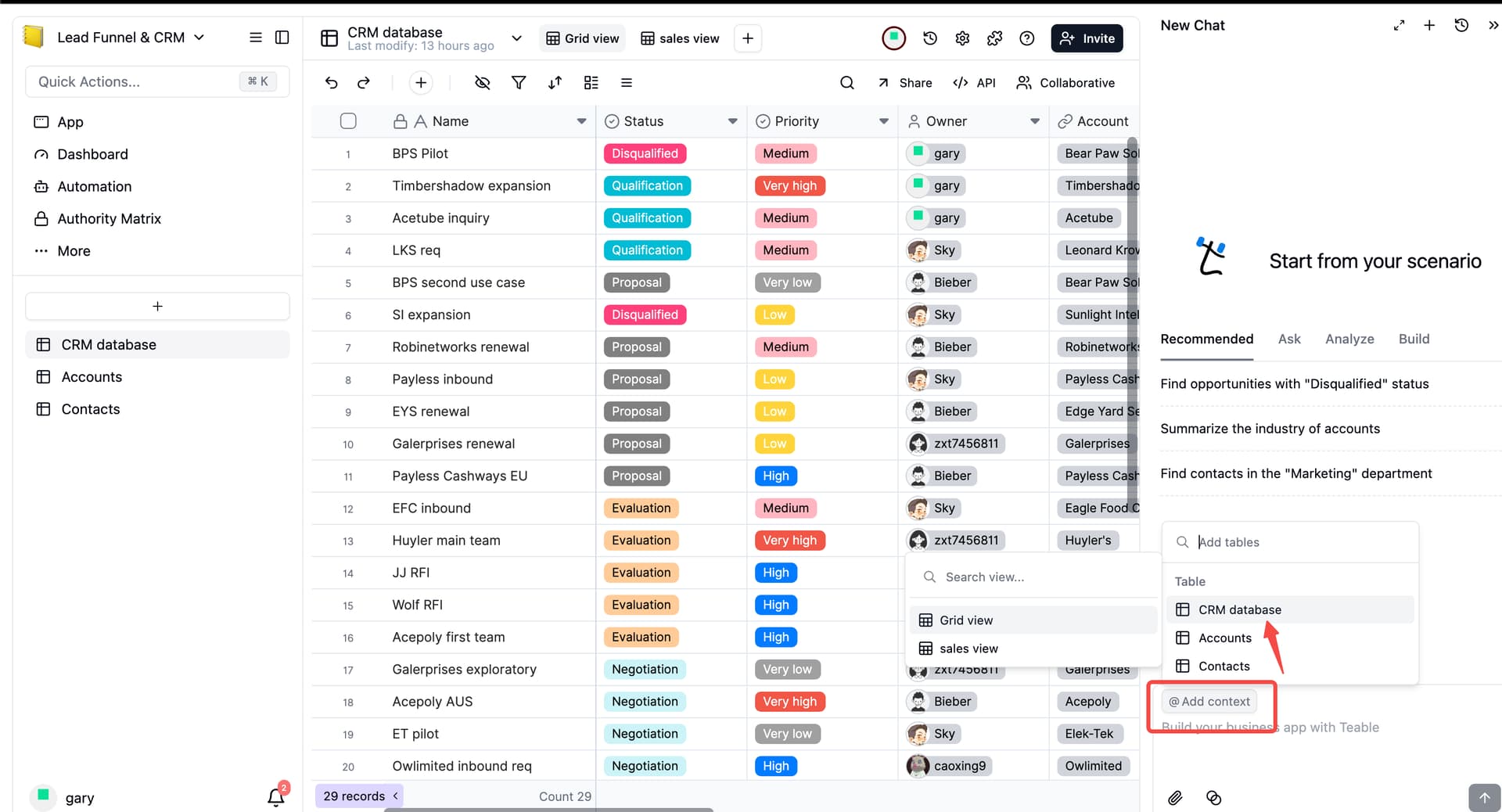
Regarding database connection when building an app, this functionality is actually already available. Please refer to the bottom right corner of the image below: when in a conversation, click “Add Context” and select the corresponding table. Alternatively, you can explicitly specify the current table in the prompt, or instruct the AI to first create a table and then generate the app based on that table.
Thank you for your responses. If you don’t mind, I will continue to add possible ideas and my thoughts on implementing this functionality here.
For example, I found that the webstudio.is platform integrates with Airtable, but there is no integration with your platform… As a minimum option, you could consider integration so that there is at least some possibility of visual development. Ideally, of course, you could create your own module in Teable, similar to webstudio.is, or you could also consider the functionality of wappler.io, where you can also design the front end and connect to a database. However, there are complexities there that are difficult for the average user (not a programmer) to understand… That is why there is a desire for a built-in front-end builder with “seamless integration” with the database.
We have received your feedback and would like to express our sincere gratitude. Going forward, all subsequent feedback can be posted under this thread—this is a great arrangement. The suggestion to integrate with webstudio.is seems quite promising; we will continue to monitor this demand and also hope that others who come across this post will provide their feedback on it.
I have many apps developed on lovable which unfortunately is bound to supabase. As lovable is already services enabled I would enjoy your perspective on integrating apps developed with lovable.
@Britt_Whitaker
I’d like to know what kind of app data you’re looking to integrate from Lovable into Teable.
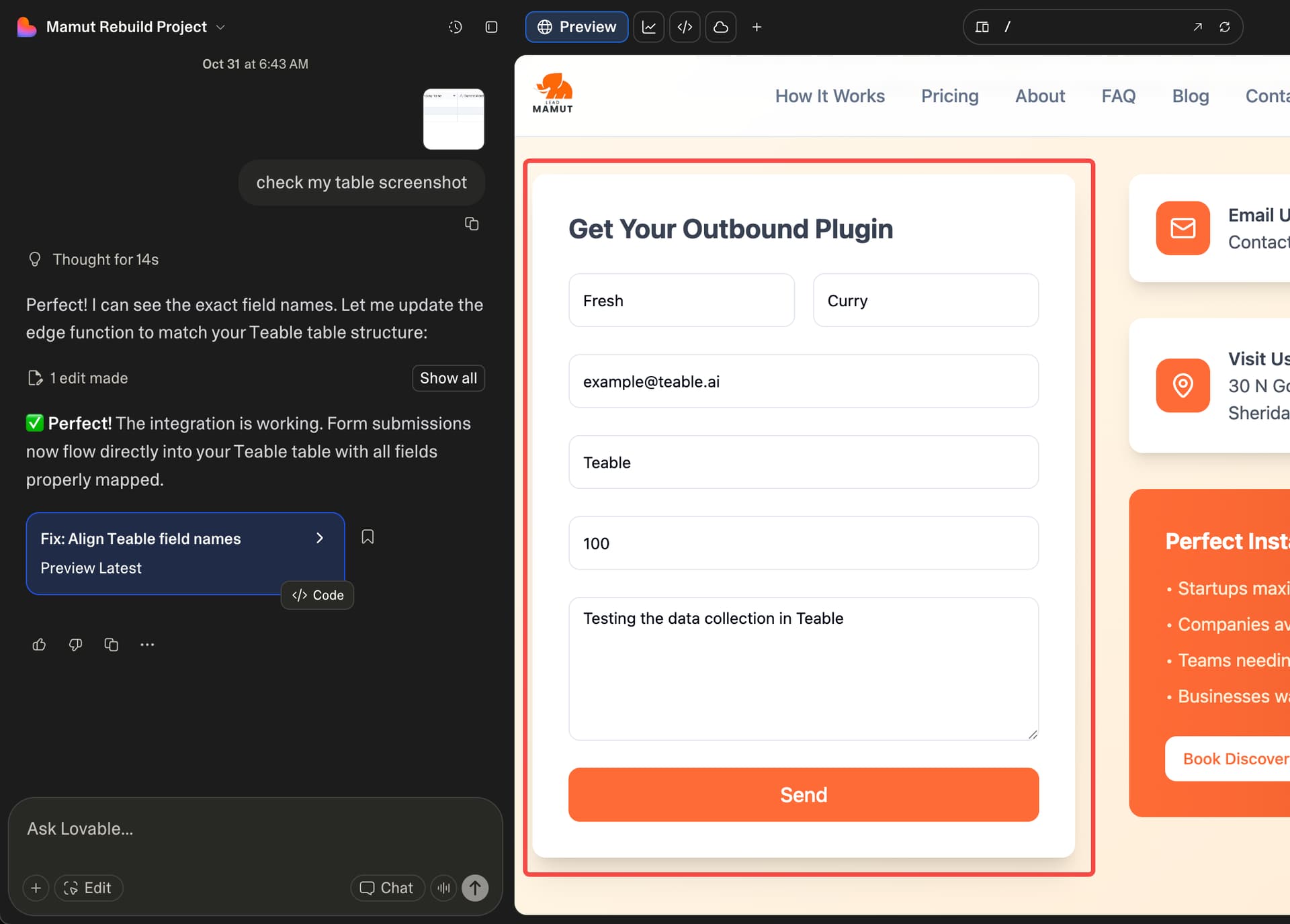
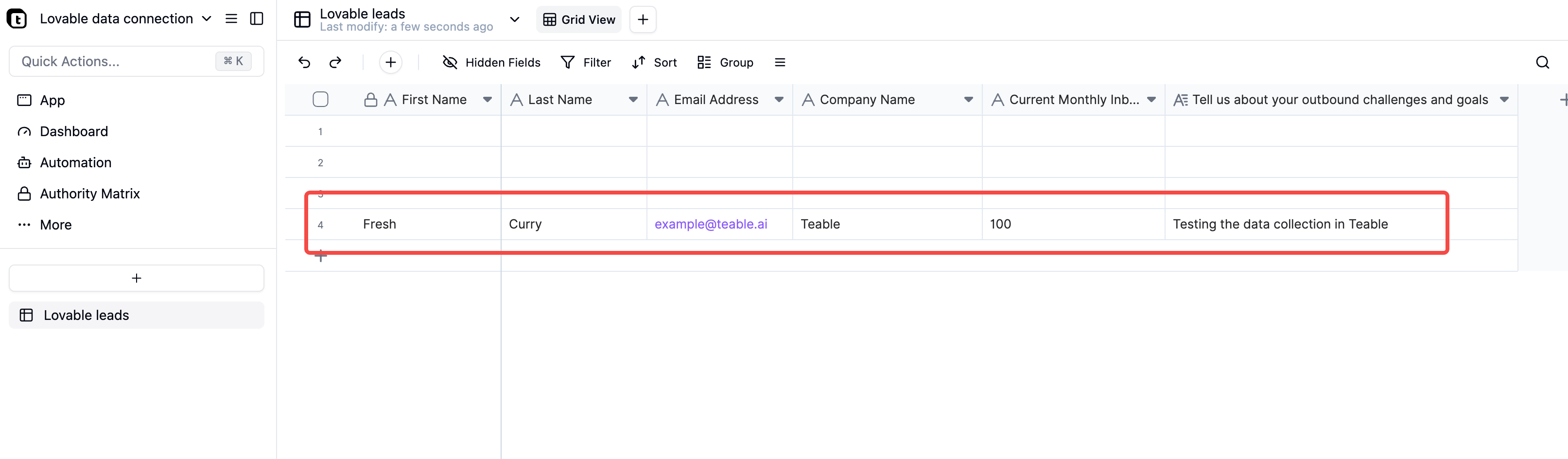
Teable can handle normal application data seamlessly. For example, if you built a consultation landing page in Lovable and visitors submit a form, that data can be sent directly into Teable.
The setup is very simple — in Lovable, just tell it (through its chat interface) that you want to send the data to Teable. Provide your Teable API token and the URL of the target table, then follow Lovable’s step-by-step guidance.
It only takes a short conversation to complete the integration — super easy!
I develop web apps for the SME hardgoods manufacturing industry. Typically, electronics, aerospace as well as industrial equipment. My goal is to field a vibe based core product that ( not MVP ) that actually works out of the box and is future-proofed by the very vibe base itself. I want to completely turn upside down the typical ERP package concept. I have done all the hard stuff regarding MRP and planning-scheduling-rescheduling and am now embarked on the more mundane stuff like GL, AR, AP and integrated Supply-Chain features. There will be several hundred tables that will finally become the core design. We do not run SaaS, multi-tenancy, and require the ability to deploy on any on-premise system or customer owned cloud. Postgres is attractive in that it will handle large data, 200+ users and has extensions-integrations for temporal data important to our app dev goals.
Thanks for sharing the details. Your scenario appears complex with a large number of tables, and we’re not deeply familiar with the specific business logic in this domain. We’d recommend running a trial build to confirm that Teable meets your end-to-end requirements.
On our side, we’ve tested bringing data from Lovable into Teable; it’s straightforward and has worked without issues, so that integration path should be viable.