# 加载技能的时候经常会遇到没有按照要求链接或者下载方式的技能包,无法进行加载,是不是可以有个更好的技能包安装入口
**URL:** https://community.teable.ai/t/topic/322
**Category:** Feature Requests
**Created:** [September 26, 2026, 8:44am UTC](https://community.teable.ai/t/topic/322 "2026-09-26T08:44:25Z")
**Posts on this page:** 3
**Page:** 1
### Author:  [@dylanli](https://community.teable.ai/u/dylanli)
#### Post date: [September 26, 2026, 8:44am UTC](https://community.teable.ai/t/topic/322/1 "2026-09-26T08:44:25Z")
技能加载区
## What’s the feature?
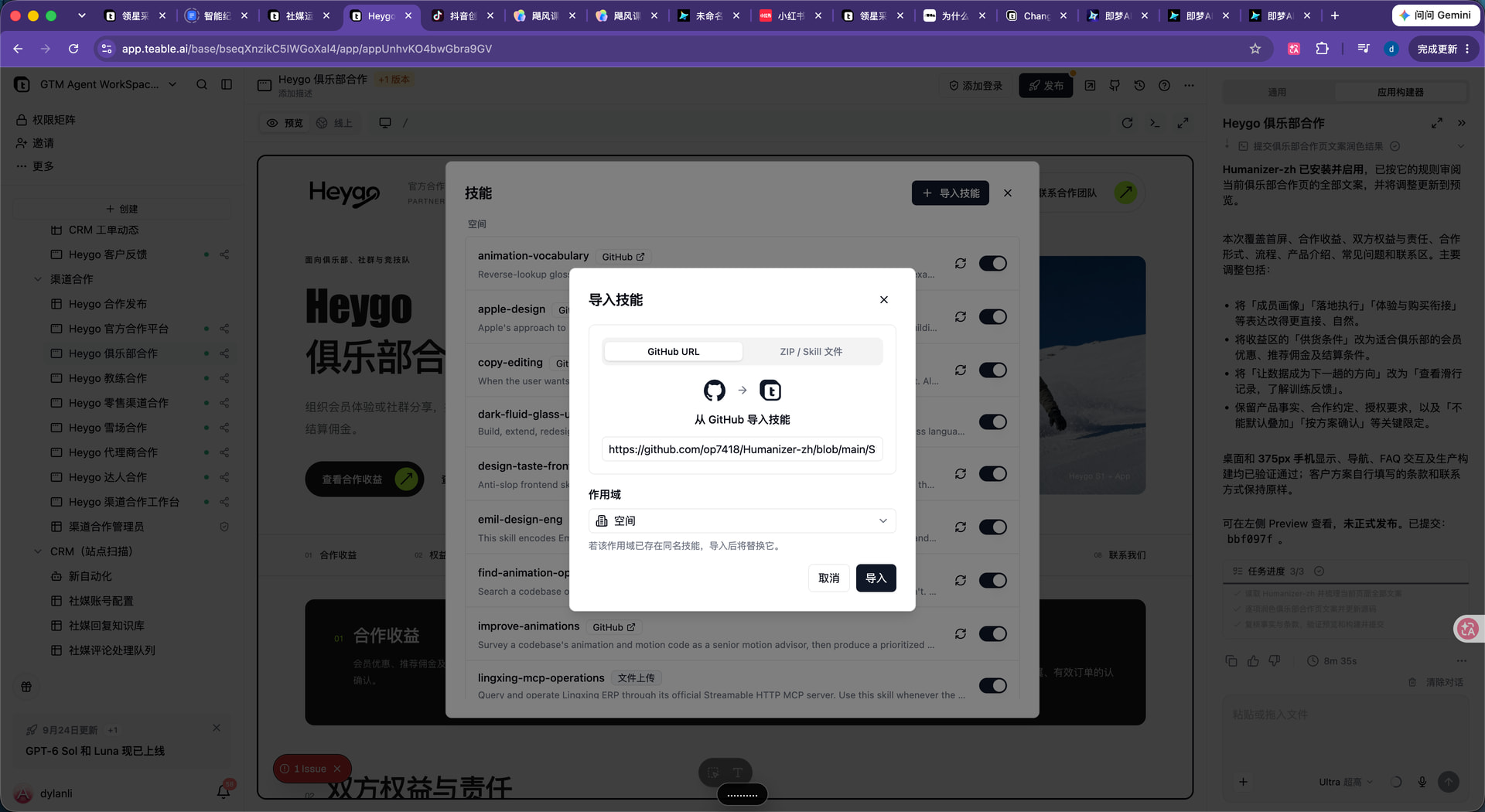
[Humanizer-zh/SKILL.md at main · op7418/Humanizer-zh · GitHub](https://github.com/op7418/Humanizer-zh/blob/main/SKILL.md) 导入类似这样的技能的时候导入不进去
## Your use case
有很多的技能需要装,找不到合适的以及,安装的时候没那么丝滑
---
### Author:  [@Leo](https://community.teable.ai/u/Leo)
#### Post date: [September 26, 2026, 9:34am UTC](https://community.teable.ai/t/topic/322/2 "2026-09-26T09:34:33Z")
Hi @dylanli ,
Thanks for reporting this! Your link format is correct — the issue is on our side: GitHub import currently doesn’t support skills whose SKILL.md sits at the root of the repository, which is the case for Humanizer-zh. We’re tracking this and will add support in an upcoming release. Sorry for the inconvenience!
---
### Author:  [@Leo](https://community.teable.ai/u/Leo)
#### Post date: [September 26, 2026, 9:36am UTC](https://community.teable.ai/t/topic/322/3 "2026-09-26T09:36:14Z")
In the meantime, you can import it as a ZIP:
1. Open [GitHub - op7418/Humanizer-zh: Humanizer 的汉化版本,Claude Code Skills,旨在消除文本中 AI 生成的痕迹。 · GitHub](https://github.com/op7418/Humanizer-zh), click **Code → Download ZIP**.
2. In Teable, open **Import Skill** , switch to the **ZIP / Skill File** tab, and upload the downloaded file.
Sorry for the inconvenience!