# \[Bug\] Automation Email modifier ignored: HH:mm:ss missing from Date variable
**URL:** https://community.teable.ai/t/bug-automation-email-modifier-ignored-hhss-missing-from-date-variable/222
**Category:** Teable Discussions
**Tags:** cloud
**Created:** [April 30, 2026, 8:04am UTC](https://community.teable.ai/t/bug-automation-email-modifier-ignored-hhss-missing-from-date-variable/222 "2026-04-30T08:04:40Z")
**Posts on this page:** 11
**Page:** 1
### Author:  [@OtakuSay](https://community.teable.ai/u/OtakuSay)
#### Post date: [April 30, 2026, 8:04am UTC](https://community.teable.ai/t/bug-automation-email-modifier-ignored-hhss-missing-from-date-variable/222/1 "2026-04-30T08:04:40Z")
I am experiencing an issue where the time modifiers for date variables in Automations are not being fully respected. Although I have configured the variable to include the 24-hour time format, the resulting email only displays the date (YYYY-MM-DD) and completely omits the time (HH:mm:ss).
**Step to Reproduce:**
1. **Trigger:** Set an automation to trigger when a row containing a specific keyword is created.
2. **Action:** Send an email to my inbox.
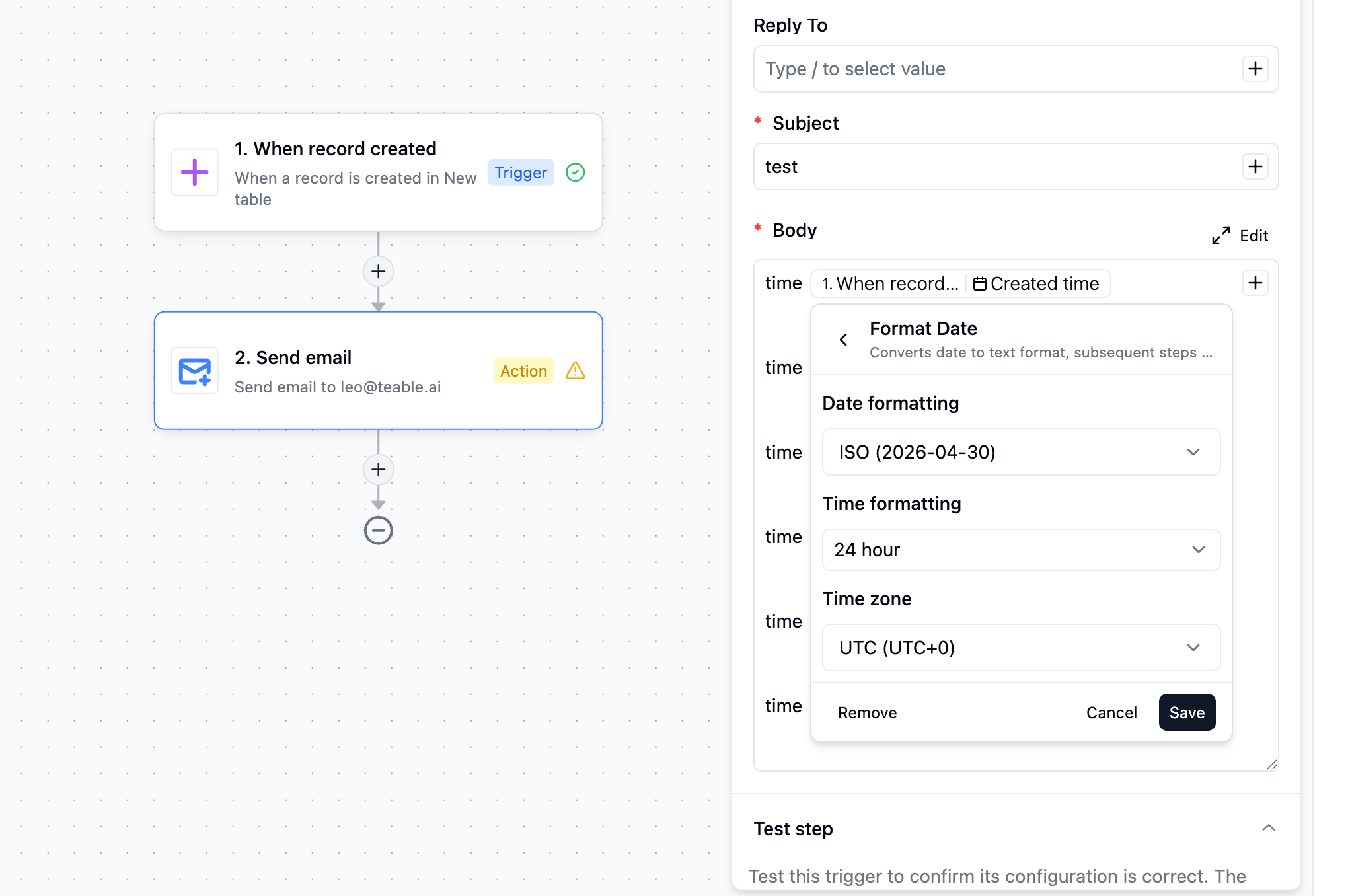
3. **Variable Configuration:** In the email body, I inserted the “Created Time” variable and applied the following modifiers:
4. **Result:** Trigger the automation.
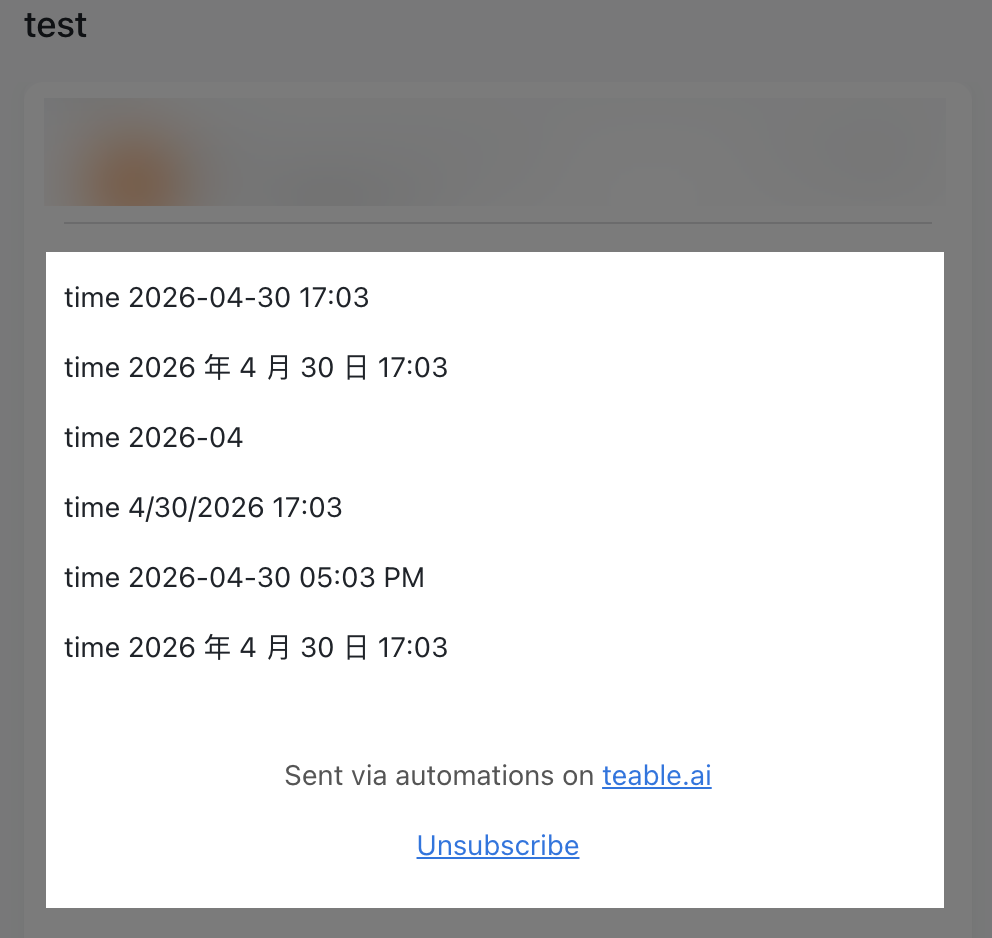
**Expected Behavior:** The email should display the full timestamp, for example: `2026-04-30 23:46:18`
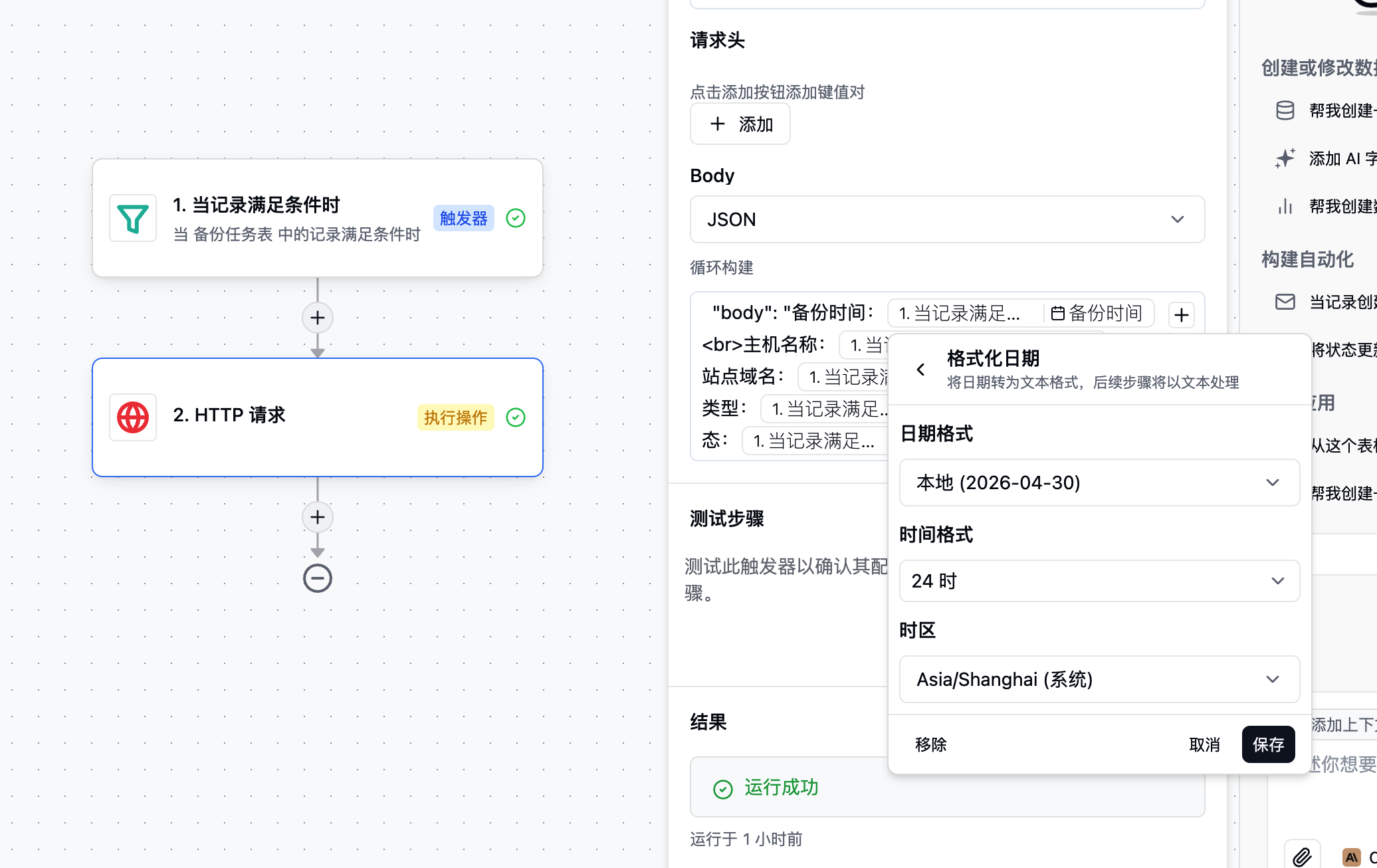
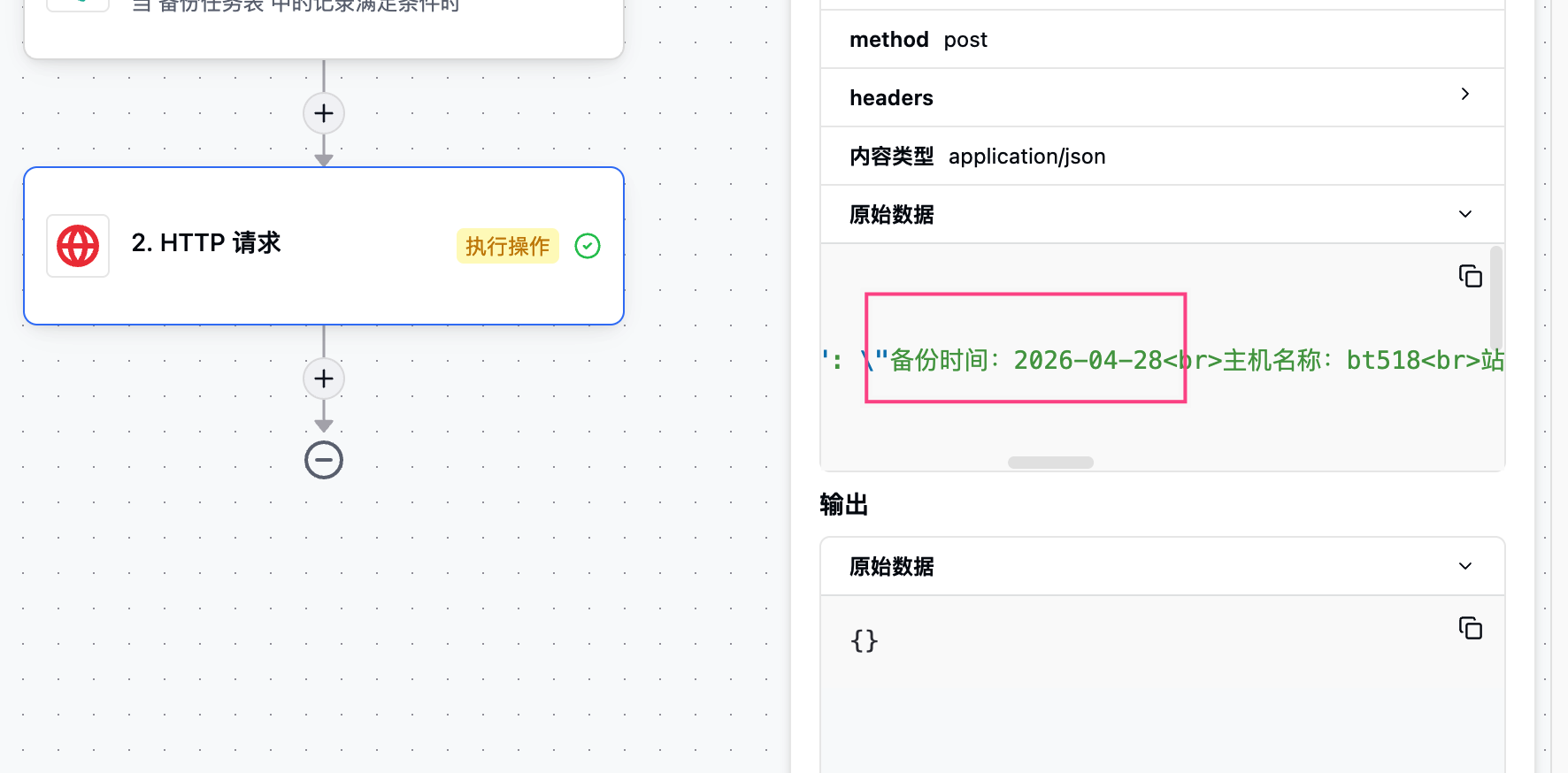
**Actual Behavior:** The email only shows the date: `2026-04-30` (The hours, minutes, and seconds are entirely missing).
---
### Author:  [@Leo](https://community.teable.ai/u/Leo)
#### Post date: [April 30, 2026, 9:07am UTC](https://community.teable.ai/t/bug-automation-email-modifier-ignored-hhss-missing-from-date-variable/222/2 "2026-04-30T09:07:58Z")
> [@OtakuSay](#):
>
> Trigger the automation.
Thanks for the detailed report. I tested this on my end — triggered the automation and was able to get the full timestamp (HH:mm:ss) to appear correctly in the email. I also tested a few other date formats and they all came through as expected. I’ll share a screenshot of my configuration and the resulting email so you can compare — it may help narrow down where the difference is.
---
### Author:  [@Leo](https://community.teable.ai/u/Leo)
#### Post date: [April 30, 2026, 9:16am UTC](https://community.teable.ai/t/bug-automation-email-modifier-ignored-hhss-missing-from-date-variable/222/4 "2026-04-30T09:16:06Z")
Hi, sharing the automation doesn’t show the details.
---
### Author:  [@OtakuSay](https://community.teable.ai/u/OtakuSay)
#### Post date: [April 30, 2026, 9:17am UTC](https://community.teable.ai/t/bug-automation-email-modifier-ignored-hhss-missing-from-date-variable/222/5 "2026-04-30T09:17:07Z")
---
### Author:  [@OtakuSay](https://community.teable.ai/u/OtakuSay)
#### Post date: [April 30, 2026, 9:19am UTC](https://community.teable.ai/t/bug-automation-email-modifier-ignored-hhss-missing-from-date-variable/222/6 "2026-04-30T09:19:07Z")
---
### Author:  [@OtakuSay](https://community.teable.ai/u/OtakuSay)
#### Post date: [April 30, 2026, 9:22am UTC](https://community.teable.ai/t/bug-automation-email-modifier-ignored-hhss-missing-from-date-variable/222/7 "2026-04-30T09:22:09Z")
---
### Author:  [@OtakuSay](https://community.teable.ai/u/OtakuSay)
#### Post date: [April 30, 2026, 9:27am UTC](https://community.teable.ai/t/bug-automation-email-modifier-ignored-hhss-missing-from-date-variable/222/8 "2026-04-30T09:27:42Z")
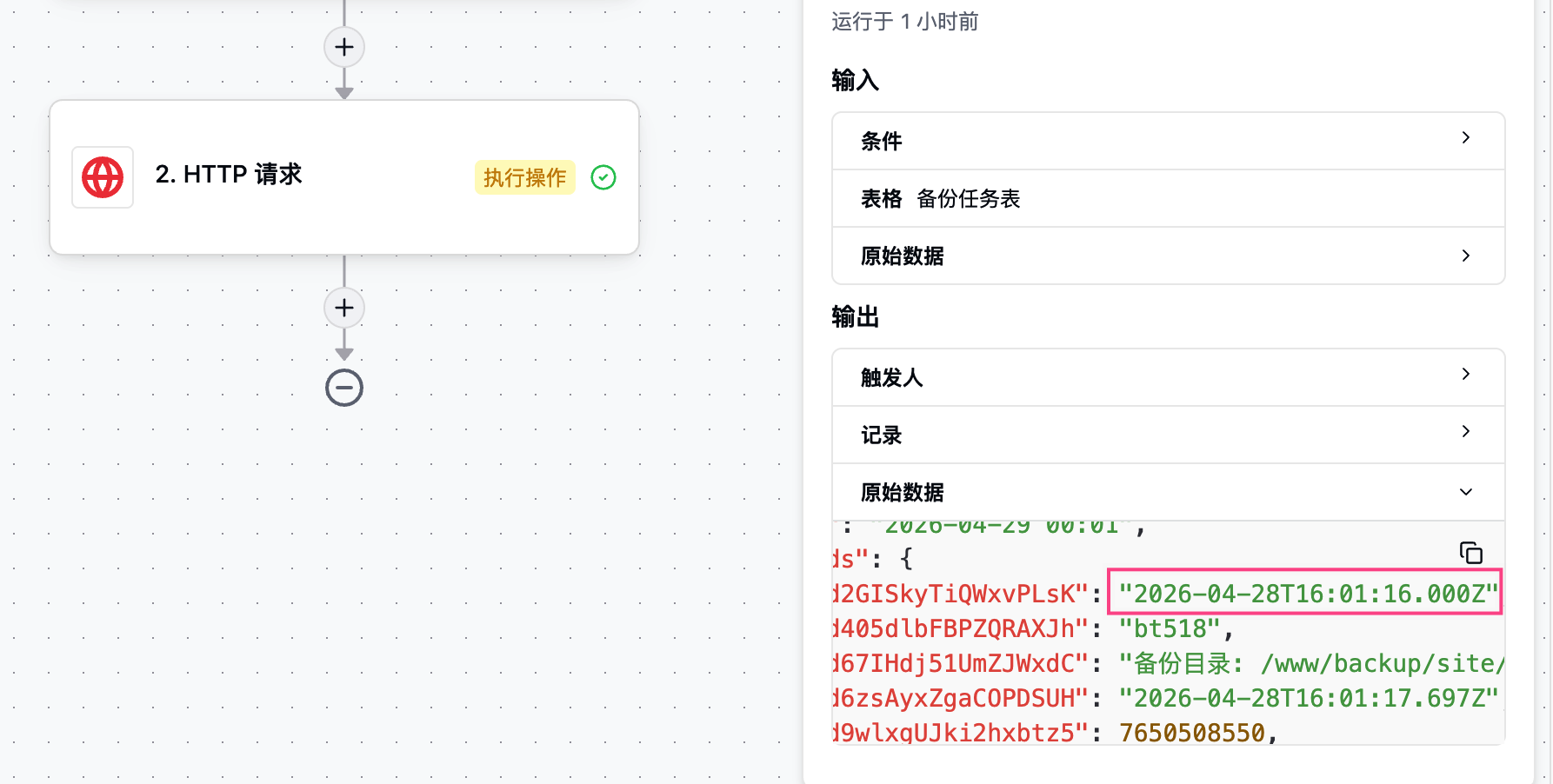
In the **Table Trigger** , the outputted ‘Created Time’ is visible in ISO 8601 UTC format, which correctly includes hours, minutes, and seconds.
However, when it comes to the **HTTP Request** step, even though I have applied the time modifier to the variable in the POST payload, the actual data sent still only contains the date (YYYY-MM-DD) and excludes the time. It seems the modifier is being ignored or stripped during the HTTP execution step.
---
### Author:  [@OtakuSay](https://community.teable.ai/u/OtakuSay)
#### Post date: [April 30, 2026, 9:30am UTC](https://community.teable.ai/t/bug-automation-email-modifier-ignored-hhss-missing-from-date-variable/222/9 "2026-04-30T09:30:36Z")
Additionally, please consider relaxing the restrictions on image attachments in the community forum. Currently, I am limited to uploading only one screenshot per post; any additional images have to be shared via external links in the replies.
---
### Author:  [@Leo](https://community.teable.ai/u/Leo)
#### Post date: [April 30, 2026, 9:38am UTC](https://community.teable.ai/t/bug-automation-email-modifier-ignored-hhss-missing-from-date-variable/222/10 "2026-04-30T09:38:55Z")
Got it, already reproduce it.
---
### Author:  [@OtakuSay](https://community.teable.ai/u/OtakuSay)
#### Post date: [April 30, 2026, 9:45am UTC](https://community.teable.ai/t/bug-automation-email-modifier-ignored-hhss-missing-from-date-variable/222/11 "2026-04-30T09:45:30Z")
I have some feedback to share, but here’s the catch: my English is still “loading,” so I’m currently relying on my AI sidekick to translate everything for me. 🤖
I’ve noticed most discussions here are in English. Is it okay if I post in Simplified Chinese, or should I stick to this “AI-powered English” to make sure the team can read it?
---
### Author:  [@Leo](https://community.teable.ai/u/Leo)
#### Post date: [April 30, 2026, 9:49am UTC](https://community.teable.ai/t/bug-automation-email-modifier-ignored-hhss-missing-from-date-variable/222/12 "2026-04-30T09:49:03Z")
Your AI-powered English comes through just fine — and posting in English means the whole community can follow along too!